PS2 BIOS (Sony Playstation 2 BIOS) Free Download
Essential BIOS files for the PCSX2, AetherSX2 and ArmSX2 emulators. 100% safe and tested for a smooth, risk-free gaming experience.
View download linksWhat is the PS2 BIOS?
The firmware that lets an emulator behave like real hardware.
The PS2 BIOS (Basic Input/Output System) is the core software that acts as a bridge between the console hardware and the game software. In the context of emulators like AetherSX2 and PCSX2, this BIOS file is mandatory for the emulator to mimic the workings of a real PlayStation 2 console. Without the correct BIOS, the emulator will not be able to run the game at all. This file ensures that the game runs smoothly, stably, and compatible on your PC or Android device, just like playing on a real console.
Emulators that support the PS2 BIOS
Every BIOS file above works with each of these.
PCSX2
PCSX2 is a very popular PS2 emulator, offering performance similar to the original console. This emulator has been in development for a long time, and it's proven to run all PS2 games smoothly and without any issues. All PS2 BIOSes we provide can be used in the PCSX2 emulator without any issues. PCSX2 is perfect for installation on desktop platforms like Windows, Linux, and macOS.
AetherSX2
AetherSX2 is a very popular PS2 emulator specifically for devices with the ARM64 architecture. This emulator is most widely used on the Android platform, although it also supports Windows, Linux, and macOS. AetherSX2 has successfully given Android gamers new hope in running PS2 games on their devices without having to buy a PS2 console or PC. You can use AetherSX2, which we provide on AetherSX2, smoothly and enjoy several features that you can activate in the emulator settings.
ArmSX2
ArmSX2 is a new PS2 emulator designed specifically for devices with the Arm64 architecture, based on the source code from PCSX2. ArmSX2 is a new solution to the old, discontinued AetherSX2, allowing users to play on Android or iOS operating systems. You can use all the PS2 BIOS variants we provide in ArmSX2 smoothly, plus several feature optimizations provided by the ArmSX2 emulator.
How to install the PS2 BIOS
Pick the guide that matches your emulator.
PCSX2 (PC)
-
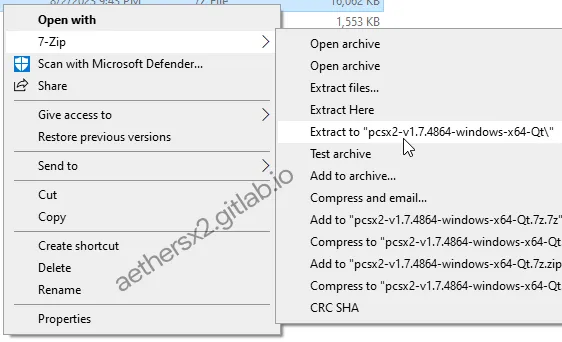
Extract the PCSX2 ZIP
After downloading the PCSX2 zip, extract it to a dedicated directory for PCSX2 files using 7-Zip or WinRAR.
-
Run the PCSX2 app
Open the new folder and double-click
pcsx2-qt.exeto launch.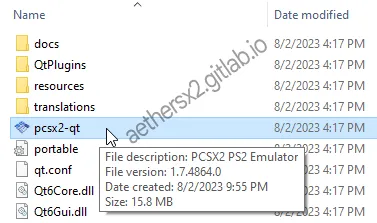
-
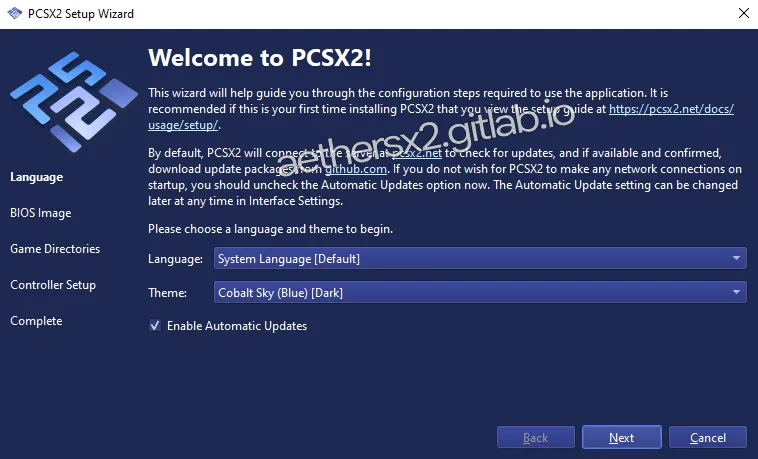
Begin first-time setup
These are the language and theme settings, so adjust them to your liking. After that, click Next.
-
Prepare the BIOS folder
Find the
Documents\PCSX2\biosfolder and place your BIOS files inside.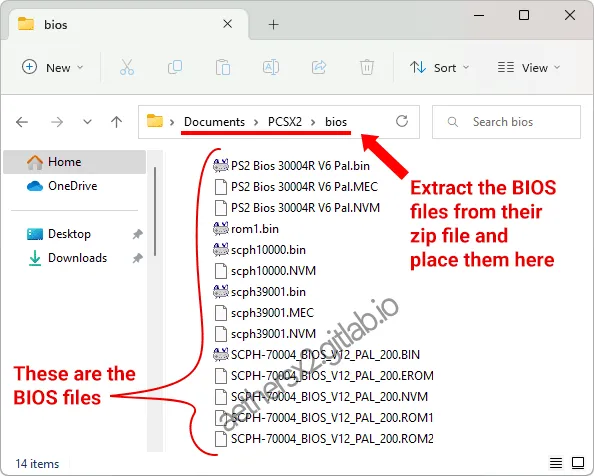
-
Configure the BIOS path
The wizard will auto-detect the BIOS. If not, use
Browseto select the folder.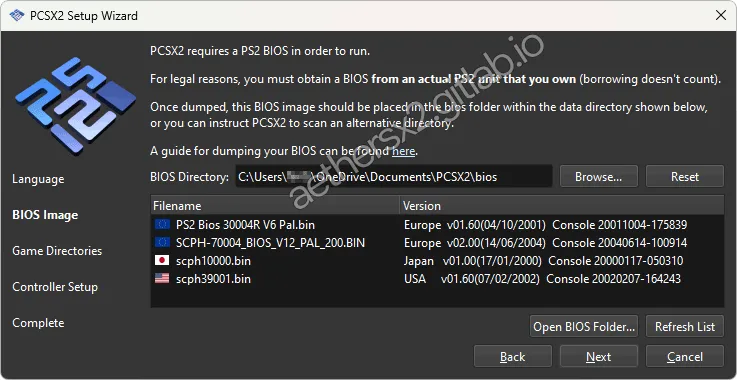
-
Select your BIOS
Select the BIOS for your region from the list and click
Next.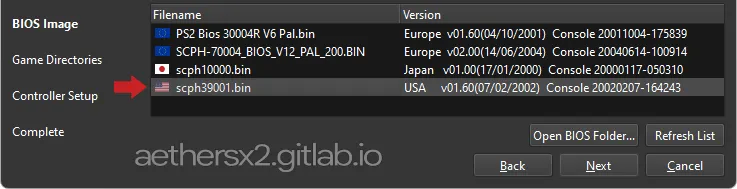
AetherSX2 (Android)
-
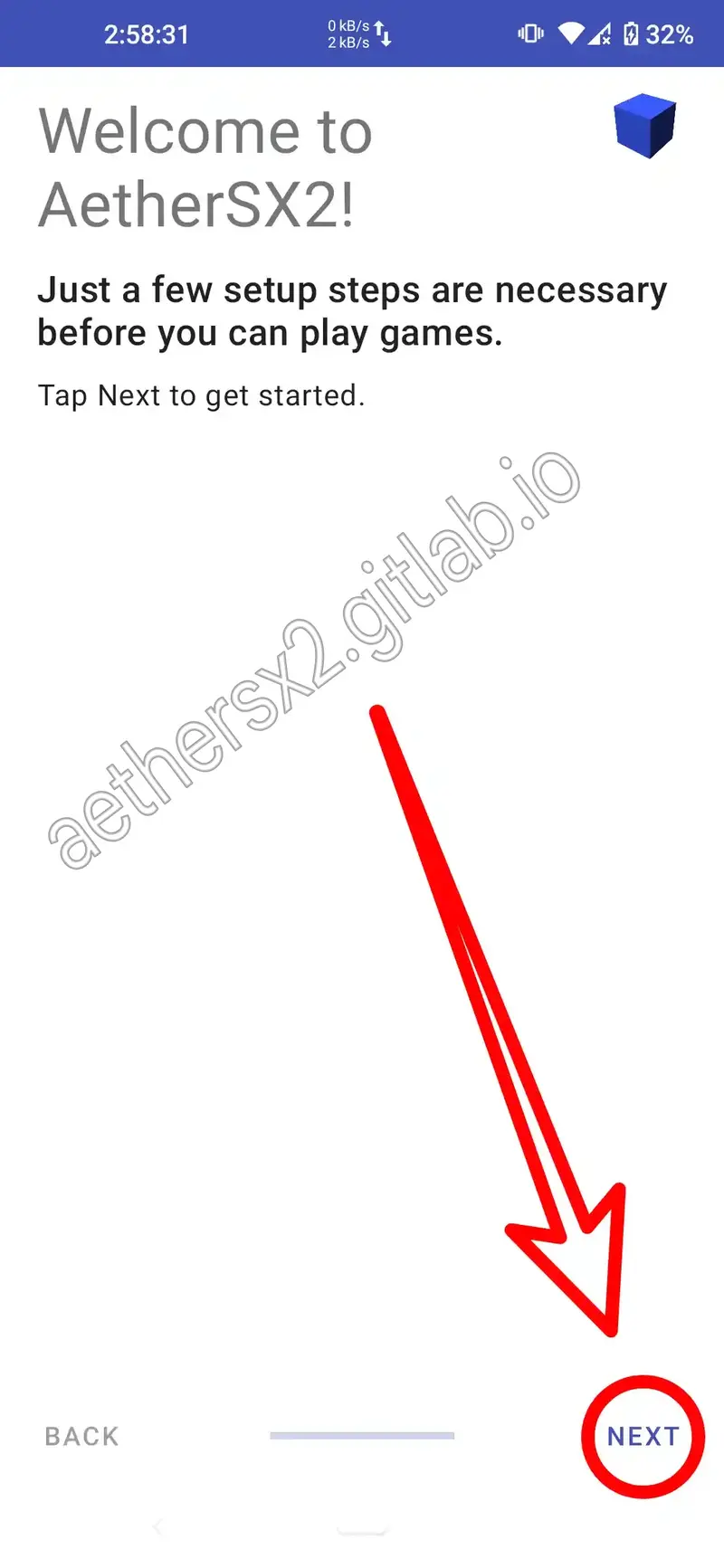
Welcome & continue
Open the AetherSX2 emulator app and tap Next on the welcome screen.
-
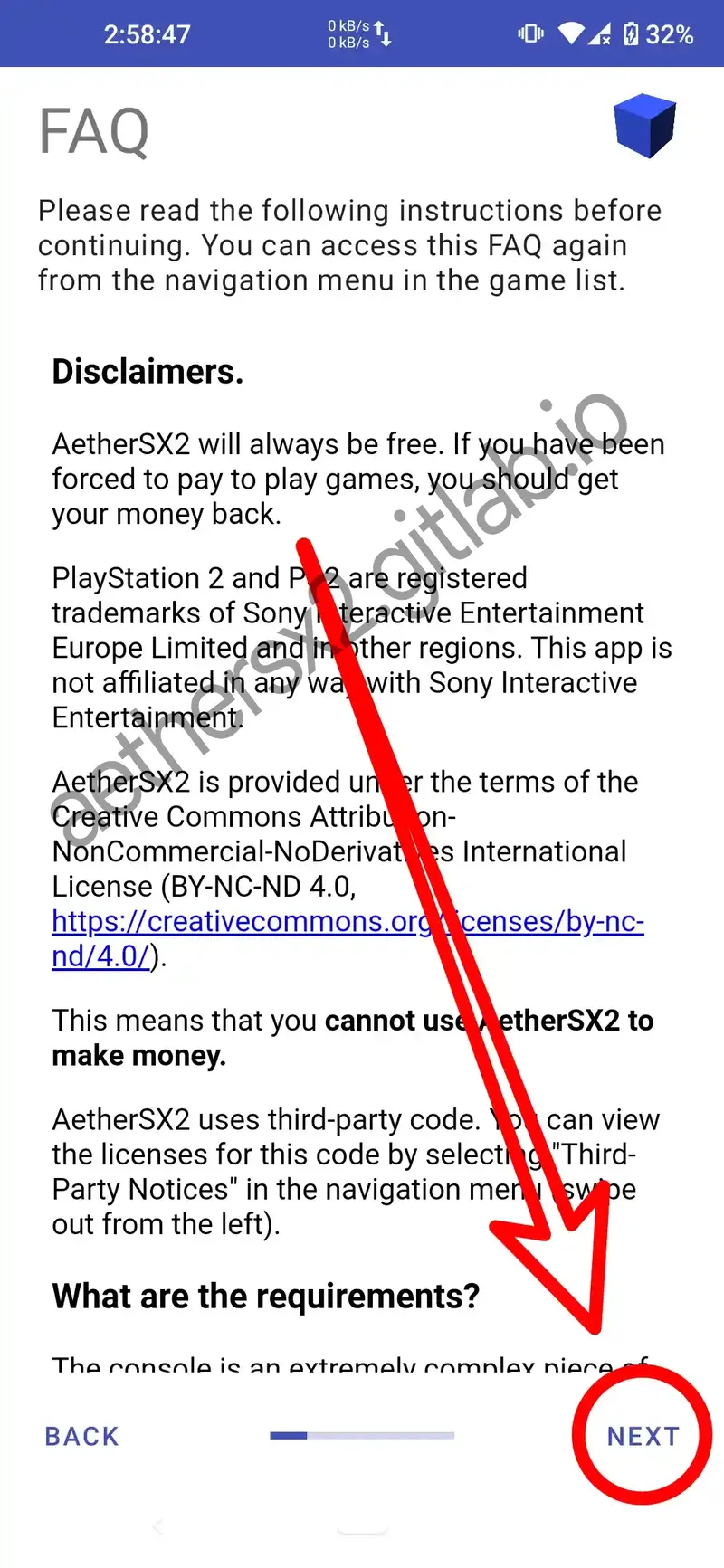
Skip info & continue
This is the FAQ and disclaimer of AetherSX2 — select Next.
-
Select a performance profile
Select
Optimal/Safe Defaultand then select Next.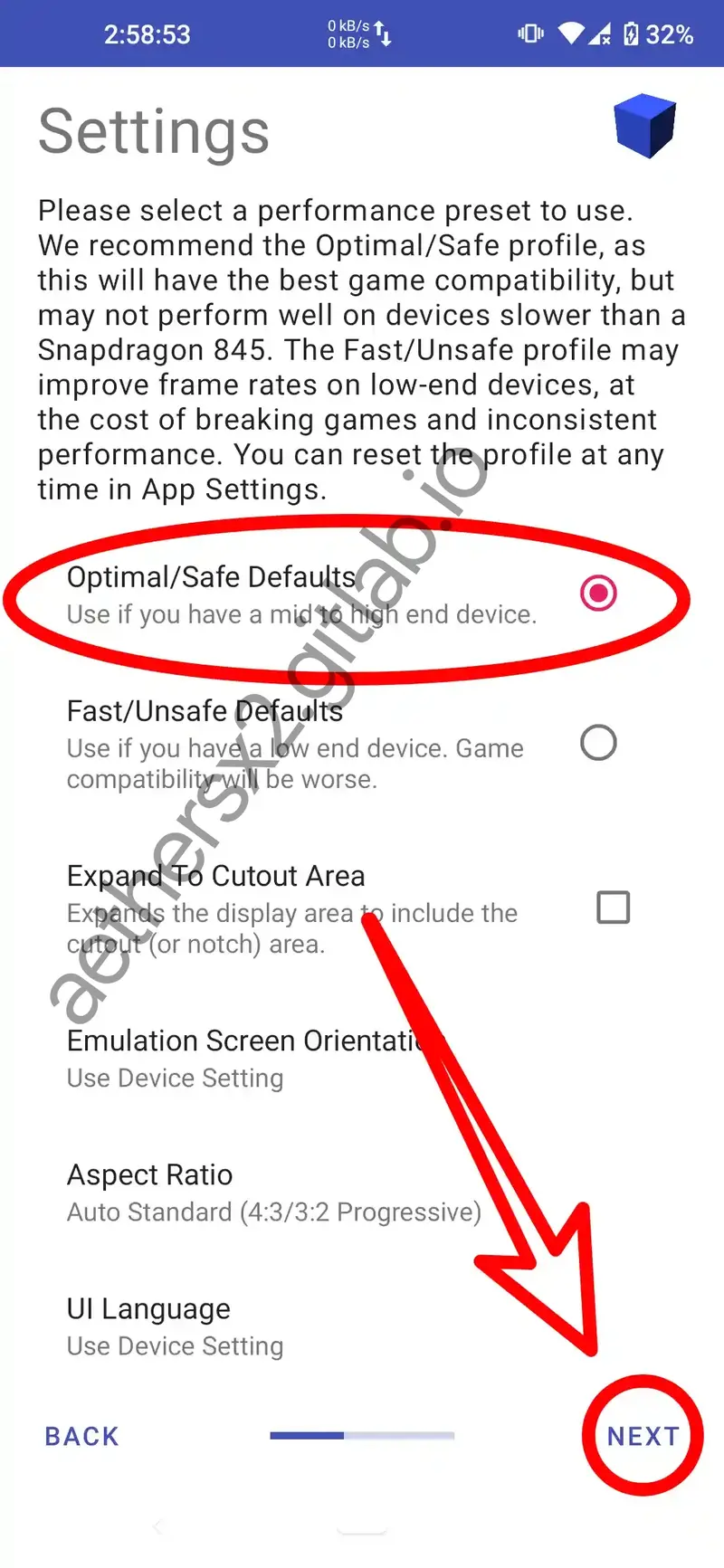
-
Import the BIOS
Go to
App Settings›BIOS, and tapImport BIOS.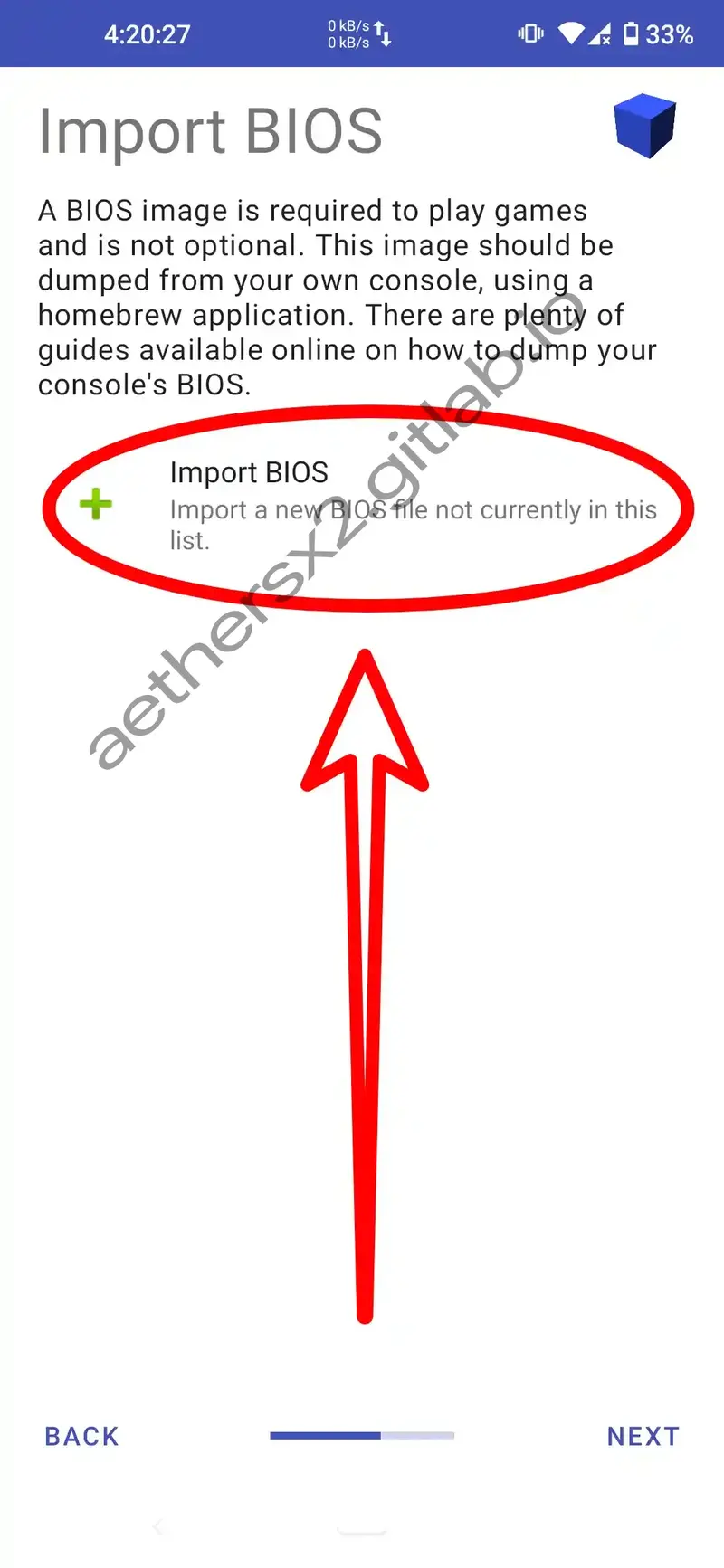
-
Select your BIOS file
Navigate to the BIOS file you prepared, which is in
.binformat, and tap on it.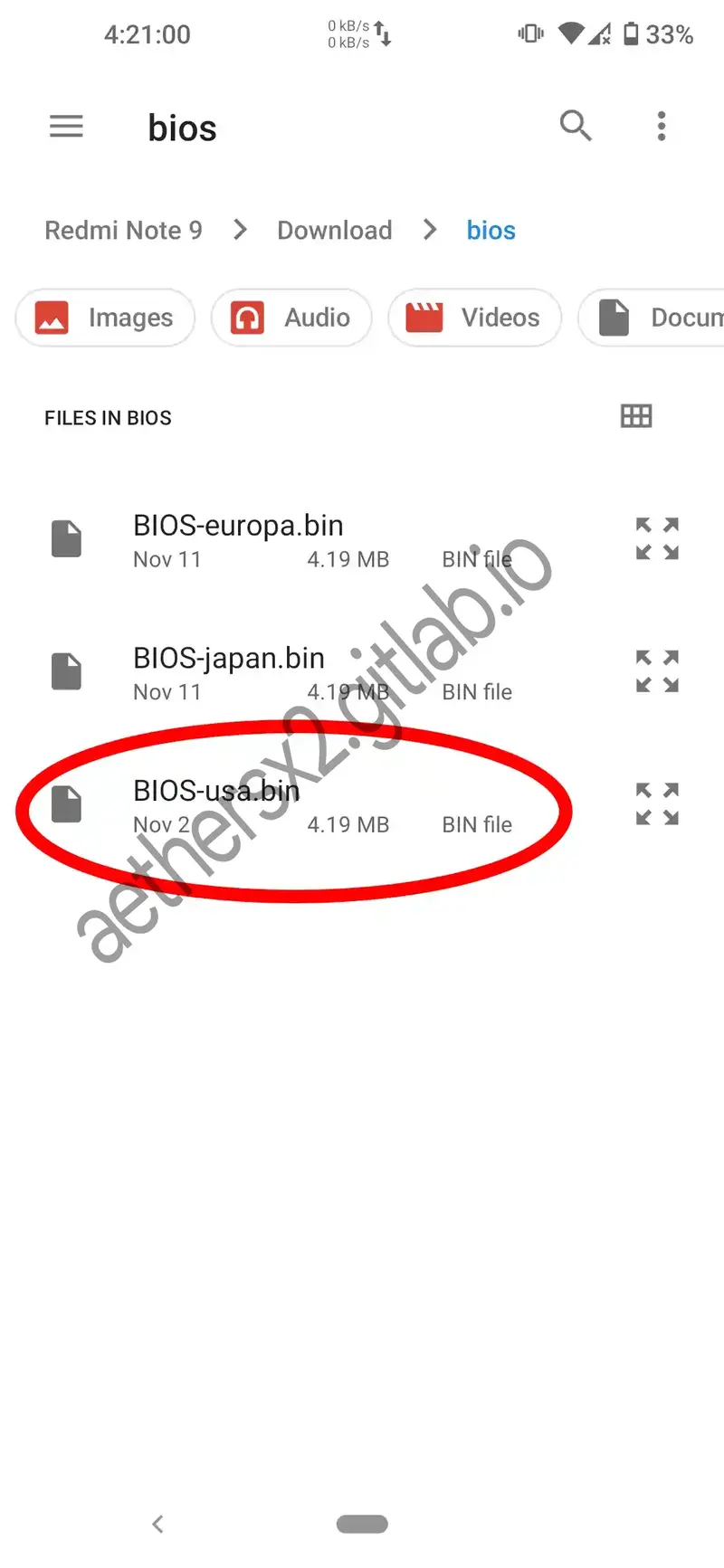
-
Confirm the BIOS selection
Ensure the correct BIOS is selected, then tap
Next.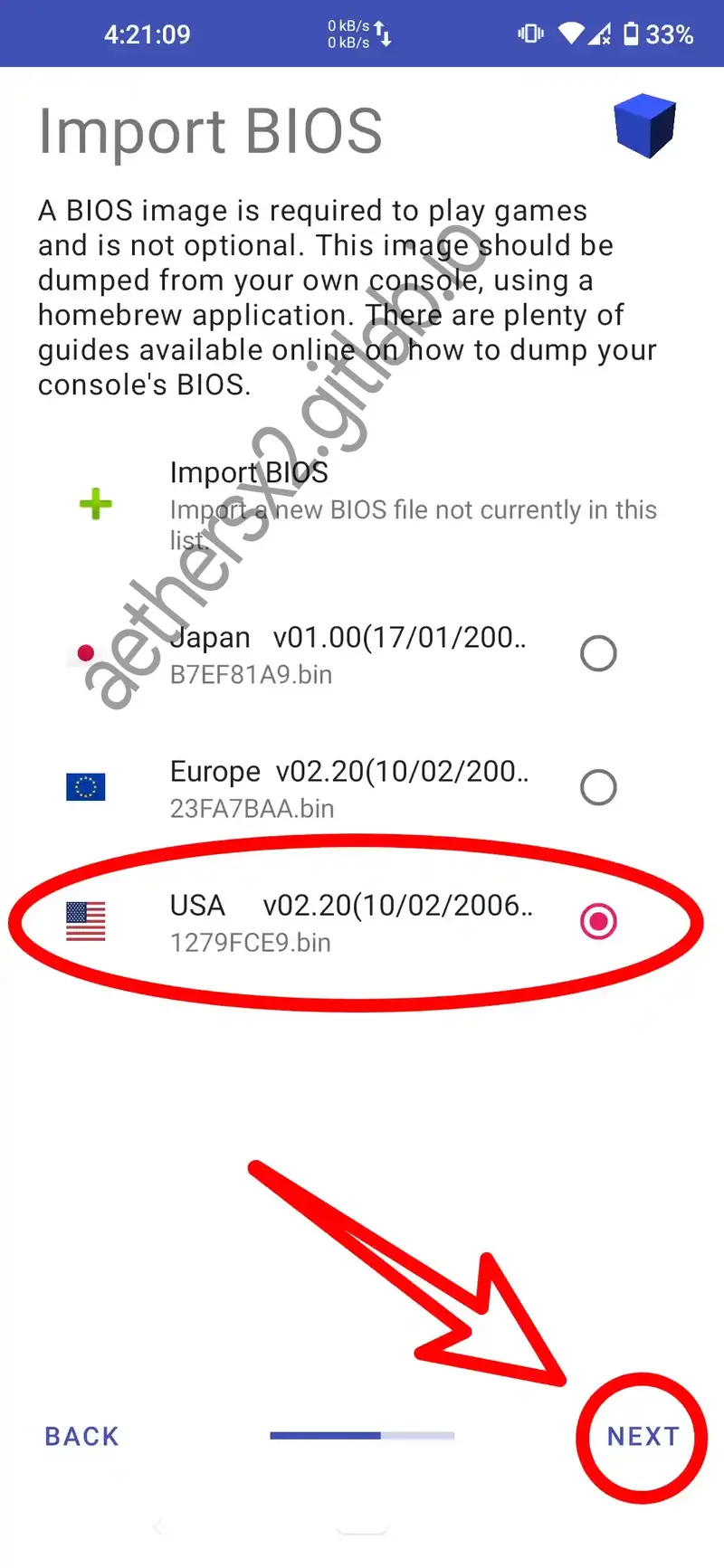
ArmSX2 (Android/iOS)
-
Download your BIOS
First, prepare the PS2 BIOS file appropriate for your region. Place the
.binBIOS file in the "Download" folder.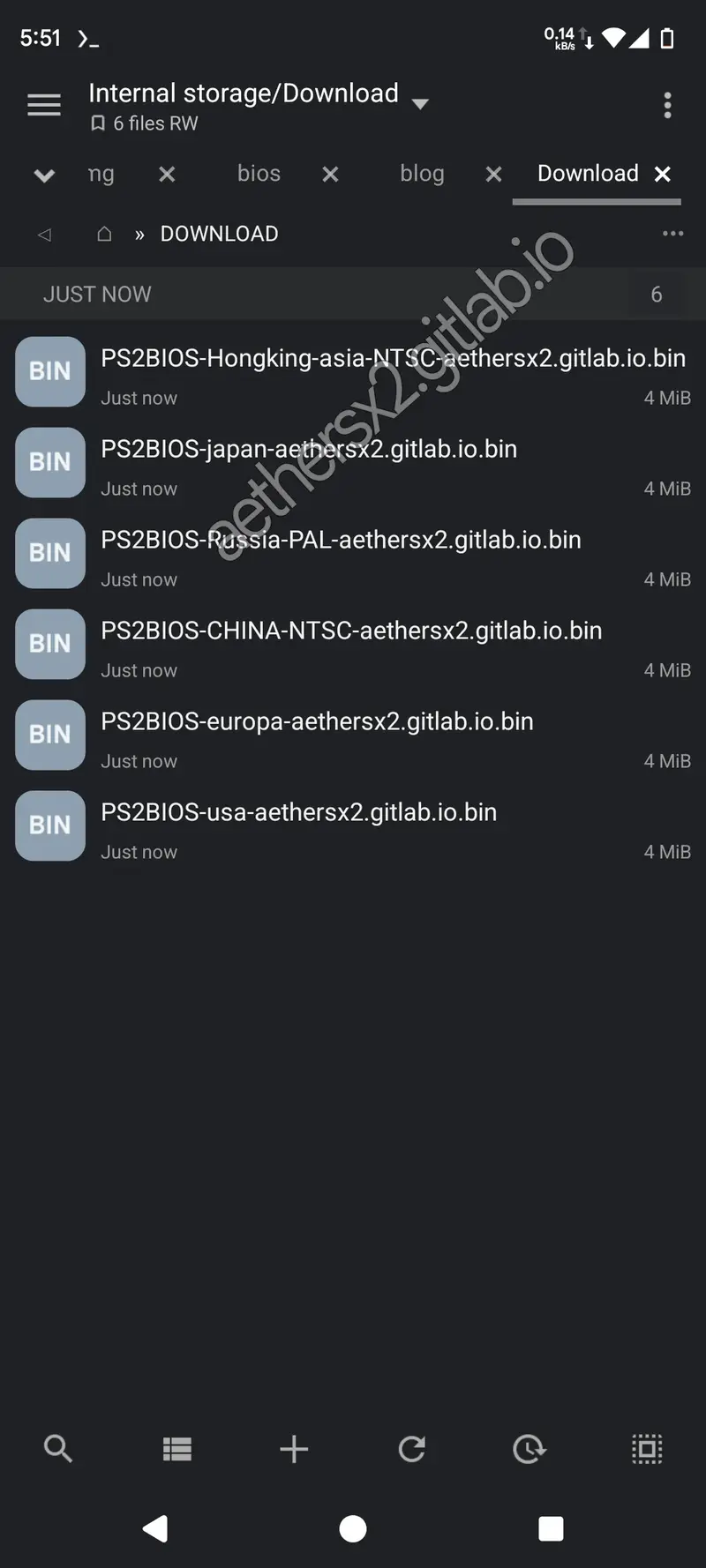
-
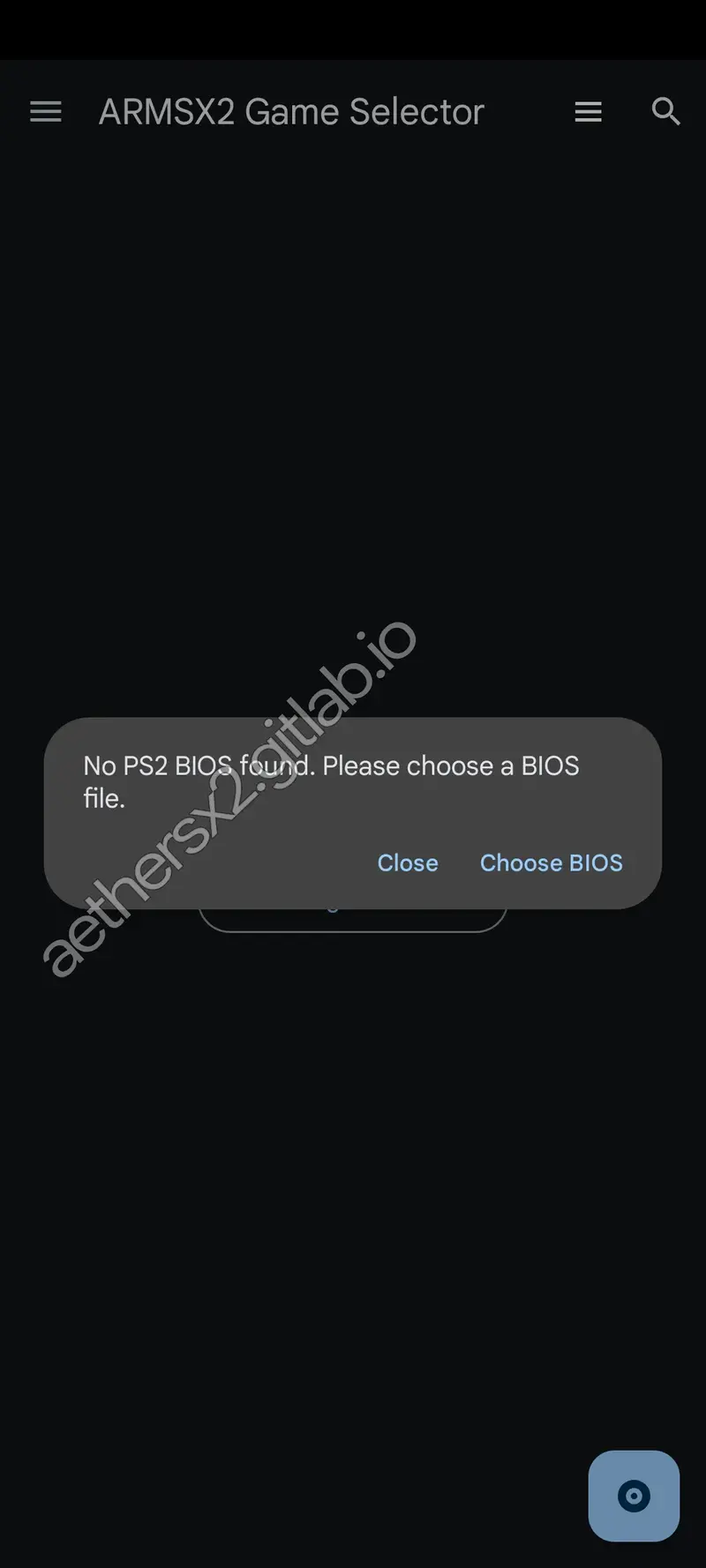
Launch ArmSX2
Open the ArmSX2 emulator app. It will display "No PS2 BIOS found." Tap "Select BIOS" to import.
-
Select the BIOS file
Your device's file manager will open. Locate and tap the BIOS
.binfile you downloaded to complete the setup.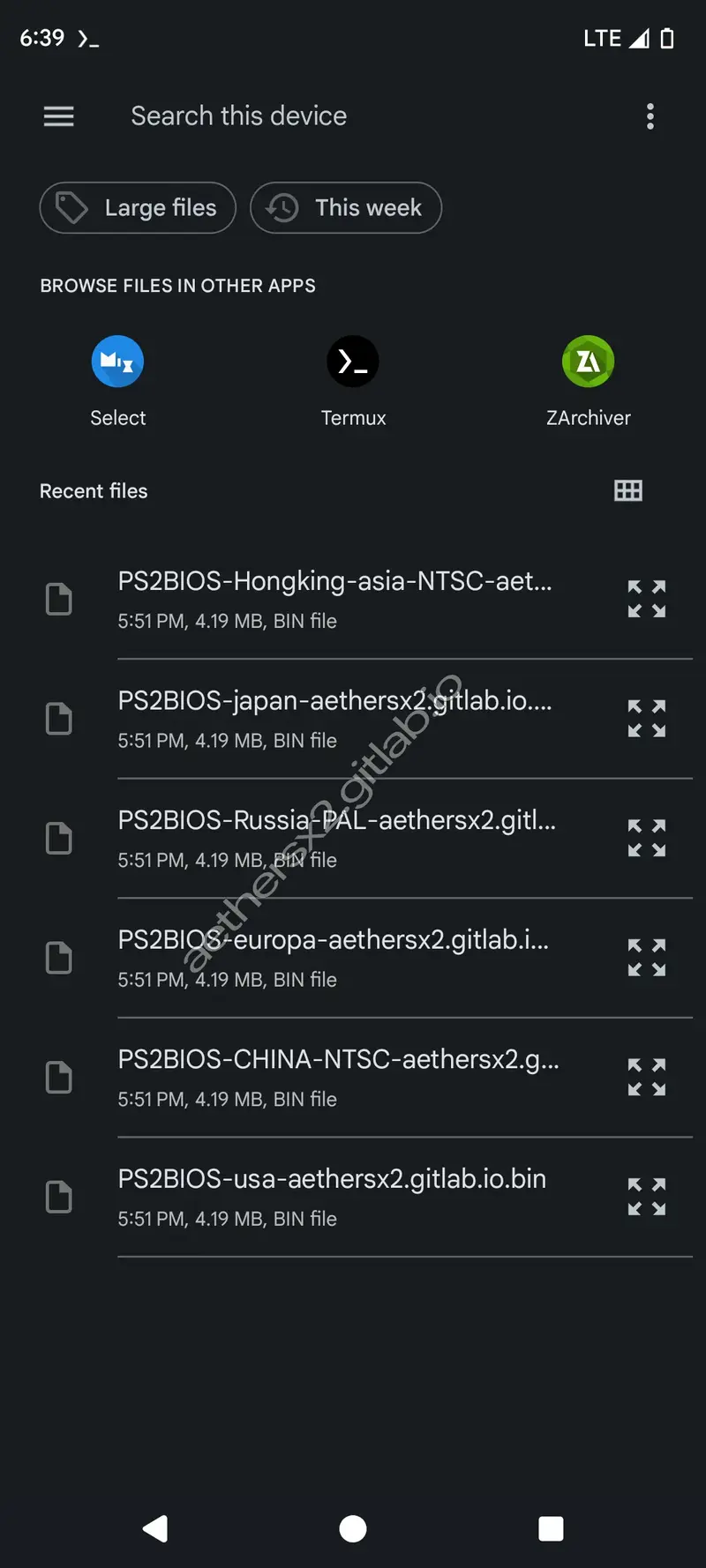
PS2 BIOS questions and answers
The two things people ask most often.
Important notice & disclaimer
Please read this carefully before downloading any files.
PlayStation 2 BIOS (Basic Input/Output System) is software that Sony Interactive Entertainment Inc. owns and has copyright on. It is against the law to give it away without the permission of the copyright holder.
The only way to get a PS2 BIOS file that is completely legal is to "dump" it from your own PlayStation 2 console. This step makes sure that you are using a copy of the software that you legally own.
The files provided on this website are intended solely for archival, preservation, and educational purposes. They are for users who already own a PlayStation 2 console and wish to use emulators like PCSX2 or AetherSX2 but do not have the means to dump the BIOS from their own hardware.
You agree to use these files responsibly and at your own risk when you download them. We don't support piracy in any way, and we aren't responsible for any legal problems or damages that may come from using this software in the wrong way. Always respect the rights of the people who made the original work.